Apple’s recent release of Safari 26 and accompanying OS updates—namely iPadOS 26 and iOS 26—bring a notable shift in how web apps behave on its devices. One of the more exciting changes is that websites added to the Home Screen now open in web app mode by default, sidestepping the old model where users had to explicitly save a shortcut and hope for minimal browser UI interference.
As someone who’s spent over a decade shipping Progressive Web Apps (PWAs) and frequently wrangling with the quirks of iPhone and iPad Safari, this evolution is intriguing. Developers and web product teams alike should explore what these changes mean, especially in relation to screen size adaptation, the nuanced differences between iPadOS 26 web app mode and iOS 26 home screen web app experiences, and how Apple’s WebKit engine powers these transitions.
Safari 26’s New Default Web App Launch Behavior
In simpler terms: when you add a website to your Home Screen in Safari 26, it launches like a standalone app. Gone are the days where such home screen sites opened with the browser chrome still visible, showing address bars and tabs.

Apple has officially made this 'app-like' launch mode the default — no special manifest properties or installability thresholds are required anymore. This marks a significant shift from earlier iOS and iPadOS iterations where only specifically marked PWAs with a valid web app manifest and service worker qualified for this treatment.
This change is a relief for developers who criticized the cumbersome “installability” requirements. You no longer need to jump through hoops for your website to feel native-ish. However, that does not mean that manifests and service workers have become irrelevant—far from it.
What Does This Mean for iPad vs iPhone?
Apple’s ecosystem includes both iPhones and iPads, but the two devices have historically provided slightly divergent web app experiences on Home Screen launches. Here’s what Safari 26 and WebKit bring to each:
Aspect iPadOS 26 Web App Mode iOS 26 Home Screen Web App Launch behavior Always opens web apps as standalone with no Safari UI by default Same standalone web app mode launch behavior by default Screen size adaptation Supports multiple window sizes and multitasking, adaptable to split view, high-res screens Single window, smaller screen; UI optimized for compact display WebKit rendering engine versions Latest WebKit with full compliance, performance tuned for iPad hardware Latest WebKit optimized for iPhone constraints Service Worker and Manifests Required for offline and richer capabilities; but not mandatory for standalone mode Same; manifest not mandatory to achieve standalone launch but needed for PWA features Multitasking Support Excellent: wings split view, Slide Over, multi-window; web apps integrate well Limited multitasking capabilitiesScreen Size Adaptation Is Key
One of Apple’s signature differentiators between iPad and iPhone devices is screen real estate—naturally a huge factor when developers consider how their web apps look and behave. iPadOS 26 pushes the envelope by supporting multi-window capabilities and adaptive layouts in web apps launched from the Home Screen.
This means your web app, when launched standalone on iPad, can participate in Apple’s multitasking system, resizing smoothly across split views and Slide Over windows. The underlying WebKit engine respects your CSS viewport settings, media queries, and any dynamic adaptation you’ve coded to scale elegantly without visible browser chrome.
On iPhone, with iOS 26, the launch experience is similarly app-like but obviously constrained by screen size and a lack of multi-window multitasking. Yet, Safari 26 brings unified behavior by removing browser UI distractions to keep the UI immersive and full screen.
Do You Still Need Web App Manifests and Service Workers?
The honest answer is: yes, but it depends on your goals.
The new default standalone launch is a big deal—it means that any web site you save to your Home Screen now launches without browser UI, giving a clean web app window, even if your site has minimal PWA boilerplate.
However, signing your site up with a Web App Manifest remains crucial to:
- Define app metadata such as the app icon, name, orientation, and theme colors. Control the launch display mode (fullscreen, standalone, minimal-ui). Help OS-level context menus display your app properly.
Similarly, Service Workers remain indispensable for:
- Enabling offline access and caching assets intelligently. Supporting background sync and push notifications where permitted. Delivering a smoother, more resilient user experience especially on flaky networks.
Without these, your web app will launch standalone but may lack the qualities users https://highstylife.com/how-do-i-add-a-website-to-my-ipad-home-screen-and-make-it-feel-like-an-app/ expect from “real” apps—like working Check out this site offline, fast repeated views, or custom splash screens.
Browser-First Services Become Truly “App-Like” on Apple Devices
This evolution from Apple and WebKit towards seamless standalone launches without installability requirements represents a philosophical shift: emphasizing browser-first services.
It’s no longer a rigmarole or a “moral debate” about web vs native. Thanks to Safari 26 on iPadOS and iOS 26, companies and developers can ship sophisticated, reliable, full-screen apps that users access directly from their Home Screens — no App Store installs required.
This democratizes app distribution and reduces friction, especially for “instant” or utility-focused applications. It’s great for developers who want to maintain single codebases, and for users who want the flexibility of web apps without sacrificing polish.
Testing Recommendations: What to Watch For
Having maintained a folder full of Home Screen web app icons for testing launch behavior on various Apple devices, here are my key tips to make sure your site behaves correctly under Safari 26:
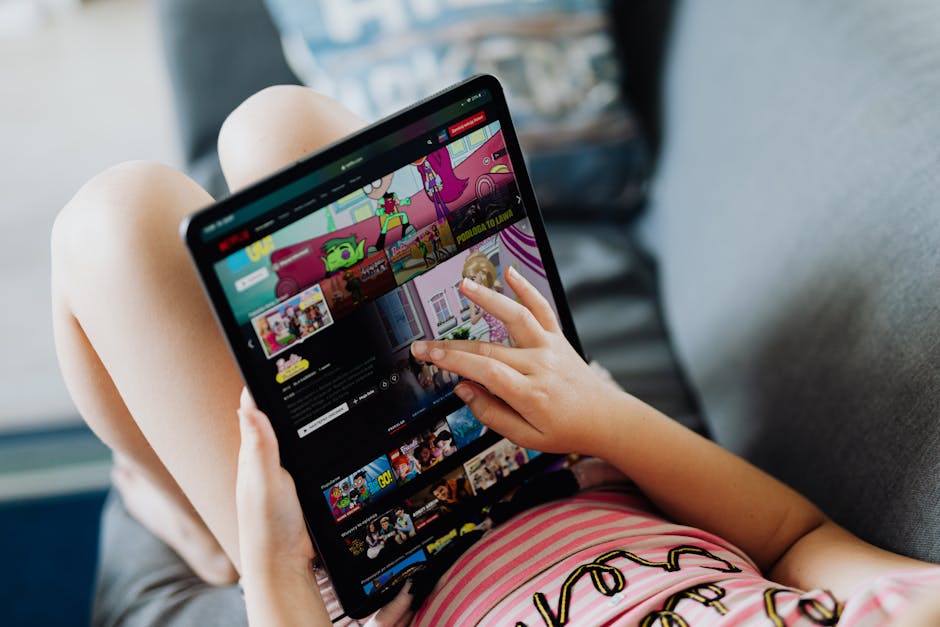
Summary: Safari 26 and WebKit Usher a New Era for Web Apps on Apple Devices
To recap:
- Safari 26 makes Home Screen web apps launch in standalone mode by default on both iPadOS 26 and iOS 26. There are important differences in screen size adaptation and multitasking support between iPad and iPhone. Web App Manifests and Service Workers remain vital for delivering richer, resilient experiences — even if they are no longer gatekeepers for app-like launch behavior. Apple’s WebKit-based strategy strengthens browser-first services, making them feel genuinely app-like without requiring App Store installs.
This marks a significant step forward in Apple’s progressive embrace of the open web on mobile devices, and an especially welcome change to those of us who care deeply about high-quality, native-feeling web apps.
Further Reading & References
- WebKit Blog: Home Screen Web Apps Launch Standalone by Default Apple’s WebKit Documentation WWDC 2024 Session on Safari 26 Web App Features Web.dev PWA Overview